
How to Integrate 3rd-Party Tools
Integrating your company’s 3rd-party tools is a core feature of StackWrap!
Before you start, keep this in mind: each available integration is slightly different, and many of the 3rd-party integrations can be handled by our development team. If you are using a tool that you don't see on the list of available integrations, or if you need assistance connecting one of your tools to an existing integration, please reach out to us directly. We'll do the heavy lifting!
Please click here to book a call with us!
1. Access the Integrations Panel
- From your StackWrap dashboard, navigate to the Admin Panel.
- Click on Integrations to view available third-party applications.
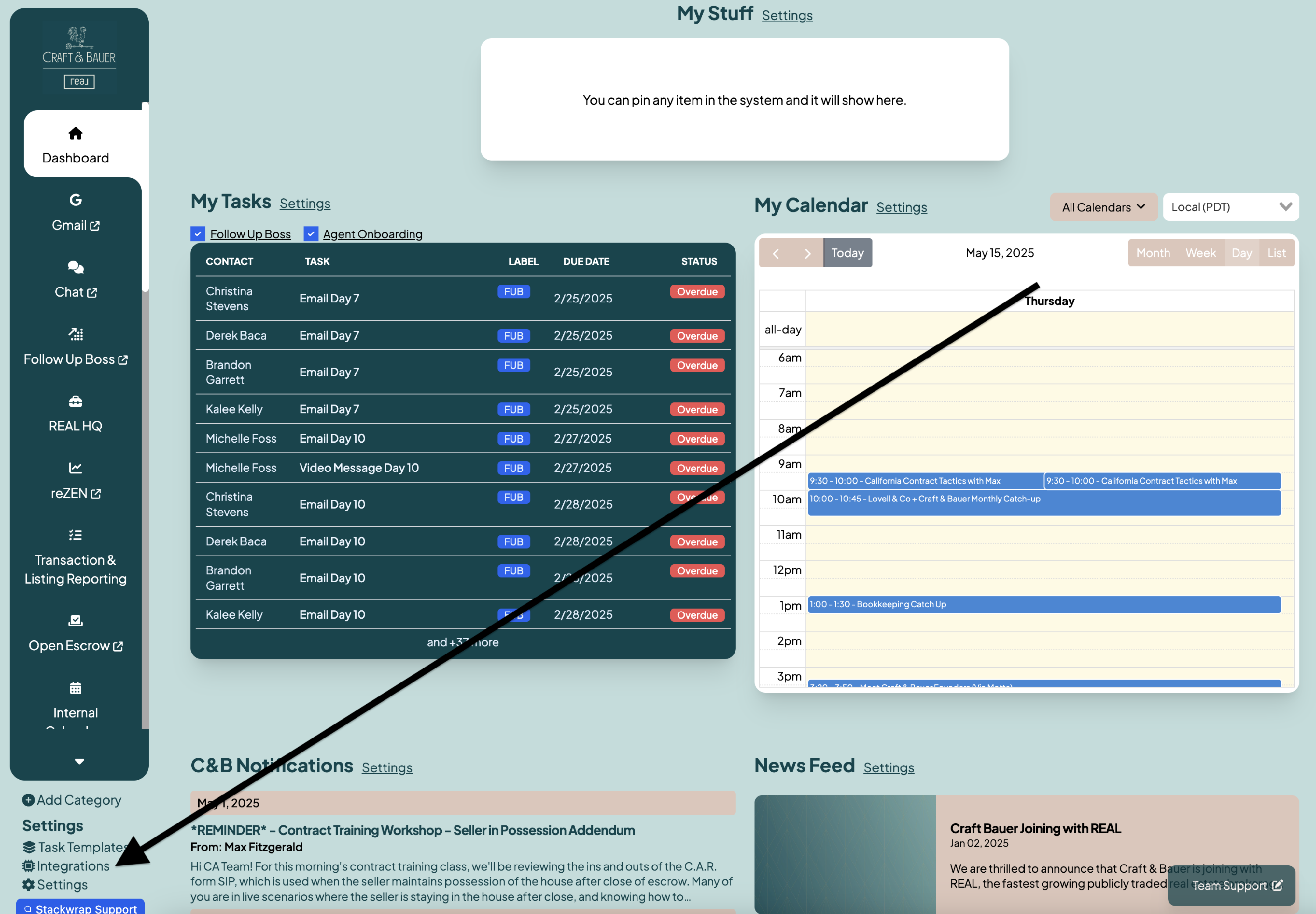
Select and Connect an Integration
- Browse the list of supported integrations (e.g., Google Workspace, Follow Up Boss, Sisu, BrokerMint).
- Click on the desired tool and follow the prompts to authorize StackWrap's access.
- For tools requiring API keys, enter the necessary credentials as instructed.
- If you need assistance, or don't see a tool that you're using, please contact: [email protected]. Our team will prioritize investigating a custom integration for you!
Configure Integration Settings
- After connecting, customize settings such as:
- User Syncing: Enable automatic user imports.
- Data Mapping: Align fields between StackWrap and the integrated tool.
- Permissions: Set access levels for different user groups.
Assign Tools to Categories
- Organize integrated tools by assigning them to relevant groups within your organization (e.g., "Marketing," "Operations"). Please note that our team will assist you with all of this!
- This helps users locate and access tools efficiently from their dashboard.
Test the Integration
- Verify the integration by accessing the tool through StackWrap.
- Ensure that data syncs correctly and that users have appropriate access.
Note: For custom integrations or tools not listed, please contact the StackWrap team by clicking this link for assistance with API connections or custom development.
By following these steps, you can seamlessly integrate third-party tools into StackWrap, providing your team with a unified and efficient workspace.