How to Manage Automated Emails to Increase User Engagement
As a team leader or broker owner, you might be asking yourself: How do I increase user engagement and enable my agents to use the tools I provide them?
Taking advantage of StackWrap's automated login reminders is a great way to solve for this!
To activate these reminders, click on the "Login" tab from within Settings
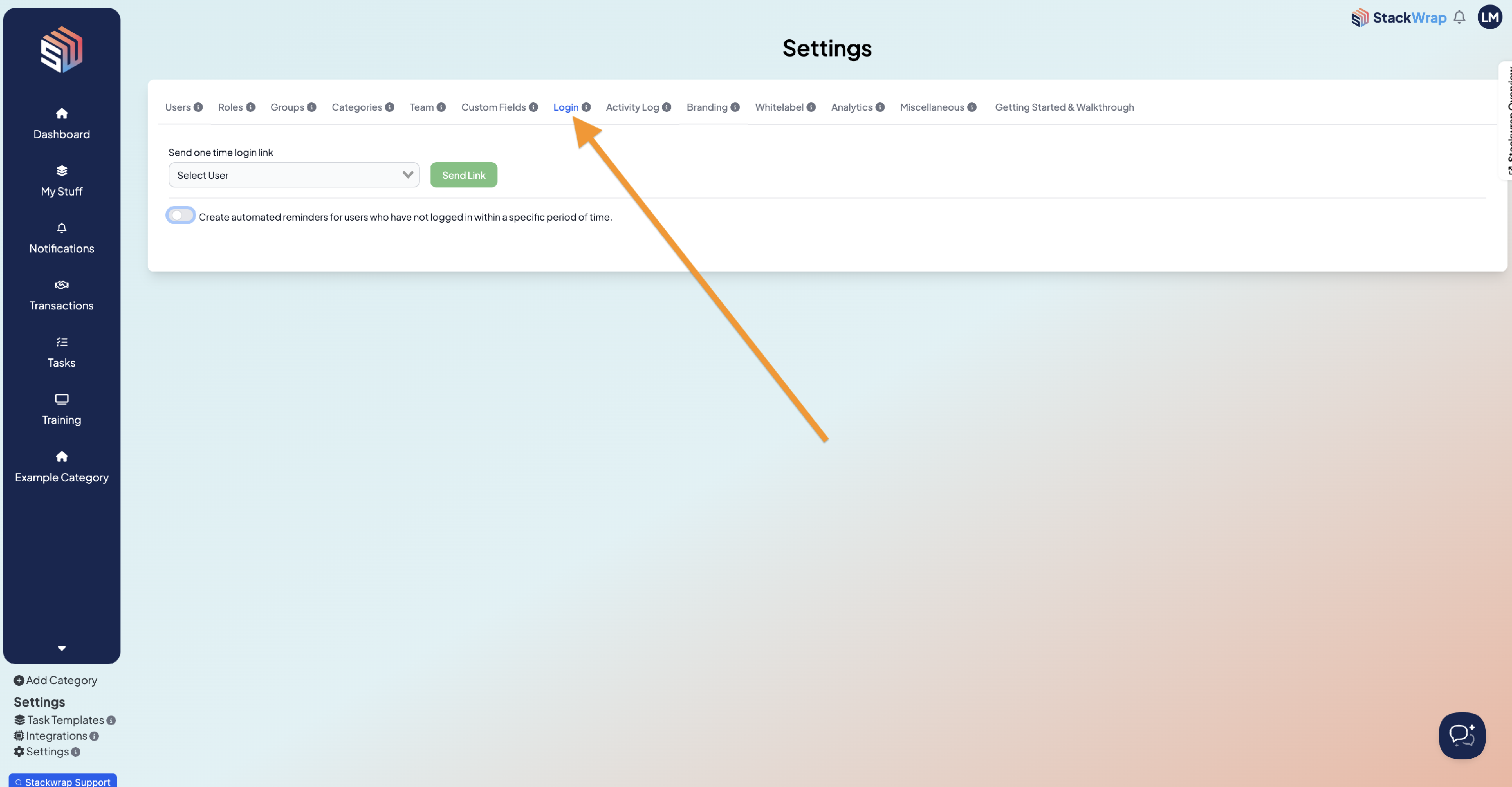
Then, toggle "Create automated reminders for users..." on
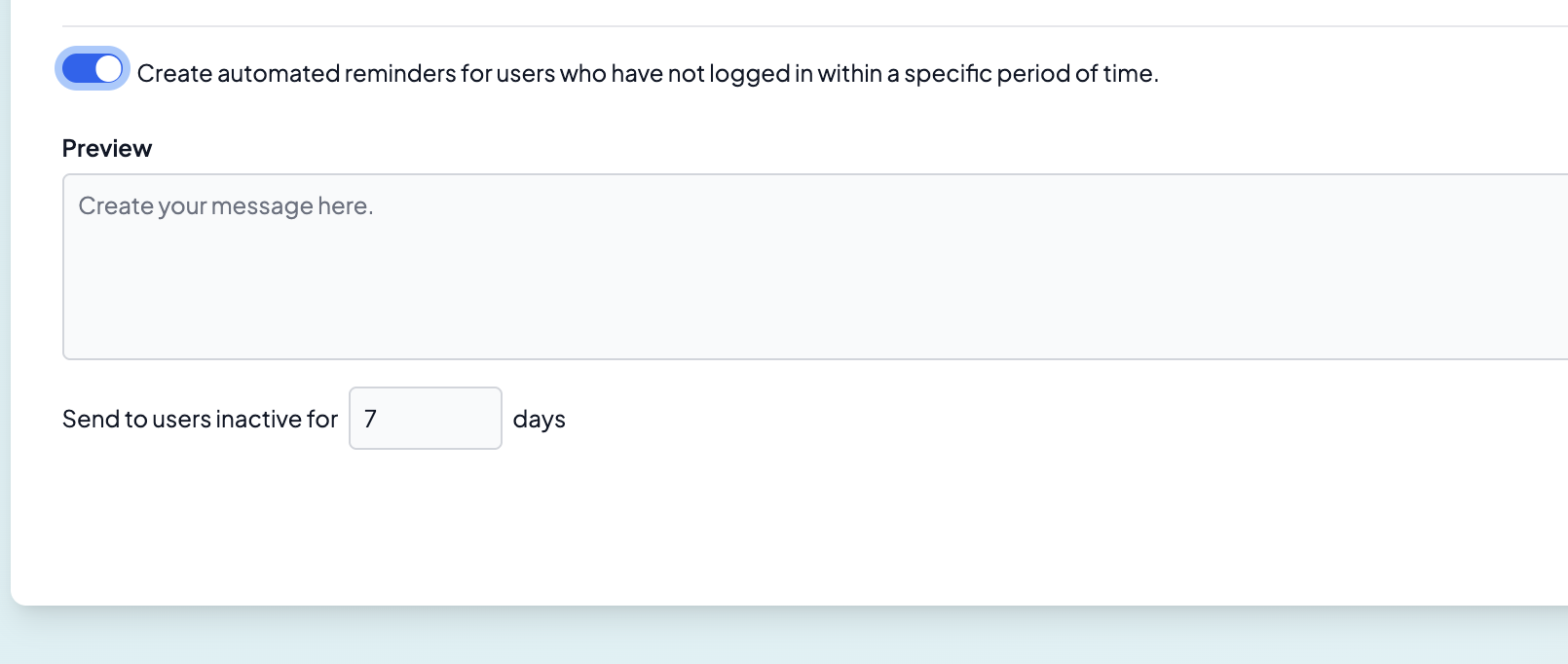
Once activated, you can create the message you want to send to your agents + designate the time period for when that message sends out.
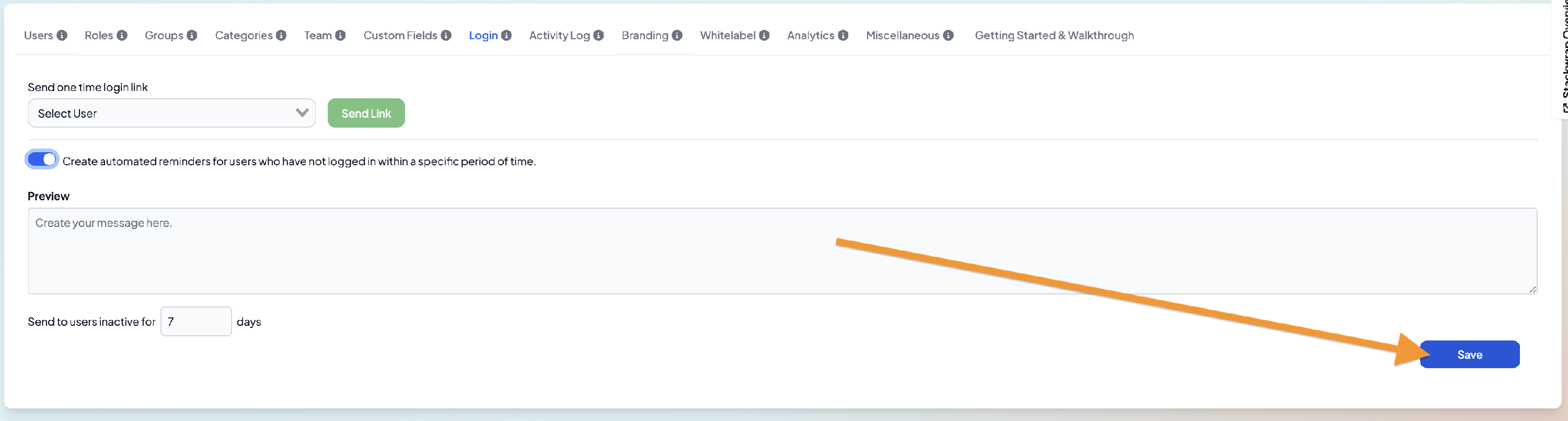
Once the message has been created and time period has been determined, press "Save"